
01 / VIDEO PREVIEW
One scorer, a full goal sequence
Follow the chosen scorer from the goalkeeper chip through the final finish in a vertical football scene.
Turn one photo into your own Ozil goal video: chip the goalkeeper, move past the defender and score in your own outfit. Choose 8 or 15 seconds with template audio included. No prompt or reference-video upload needed.
— credits per video · Sign in to view your balance
See different scorers and outfits take on the goalkeeper chip, defender move and finish. Play the full clips before choosing your own photo.
Follow the chosen scorer from the goalkeeper chip through the final finish in a vertical football scene.
Watch how the scorer’s outfit becomes part of the football scene as the player runs, turns and approaches the goal.
Play the complete sequence to see the ball lift over the keeper, the move past the defender and the finish.
Play each clip to compare the chip, defender move and finish. Use the player controls to hear its audio.
Follow the chip, ball control and finish with a flowing coat and scarf.
Watch the player and outfit through the goalkeeper move and final shot.
A playful version of the sequence with sunglasses and a yellow coat.
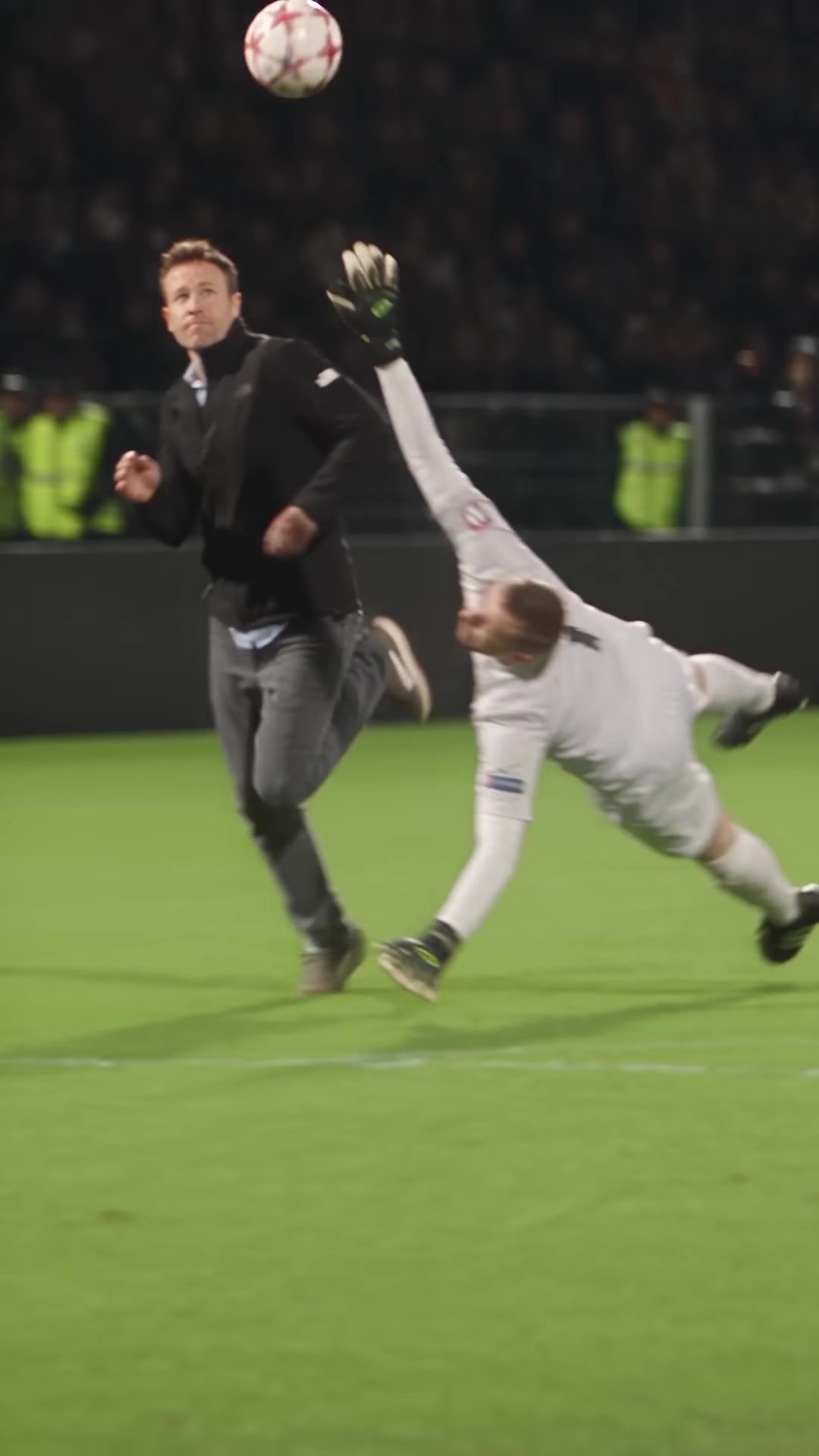
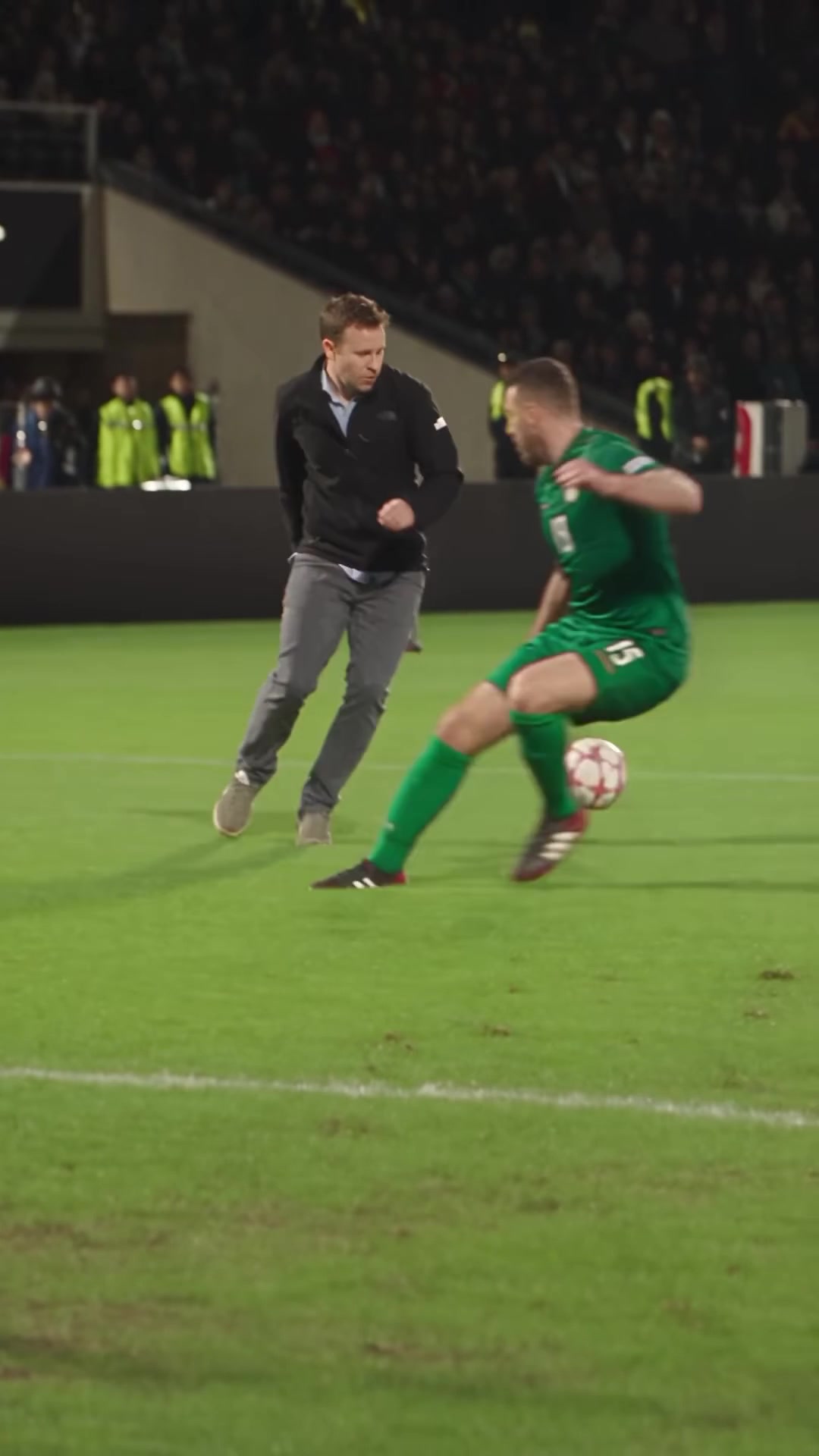
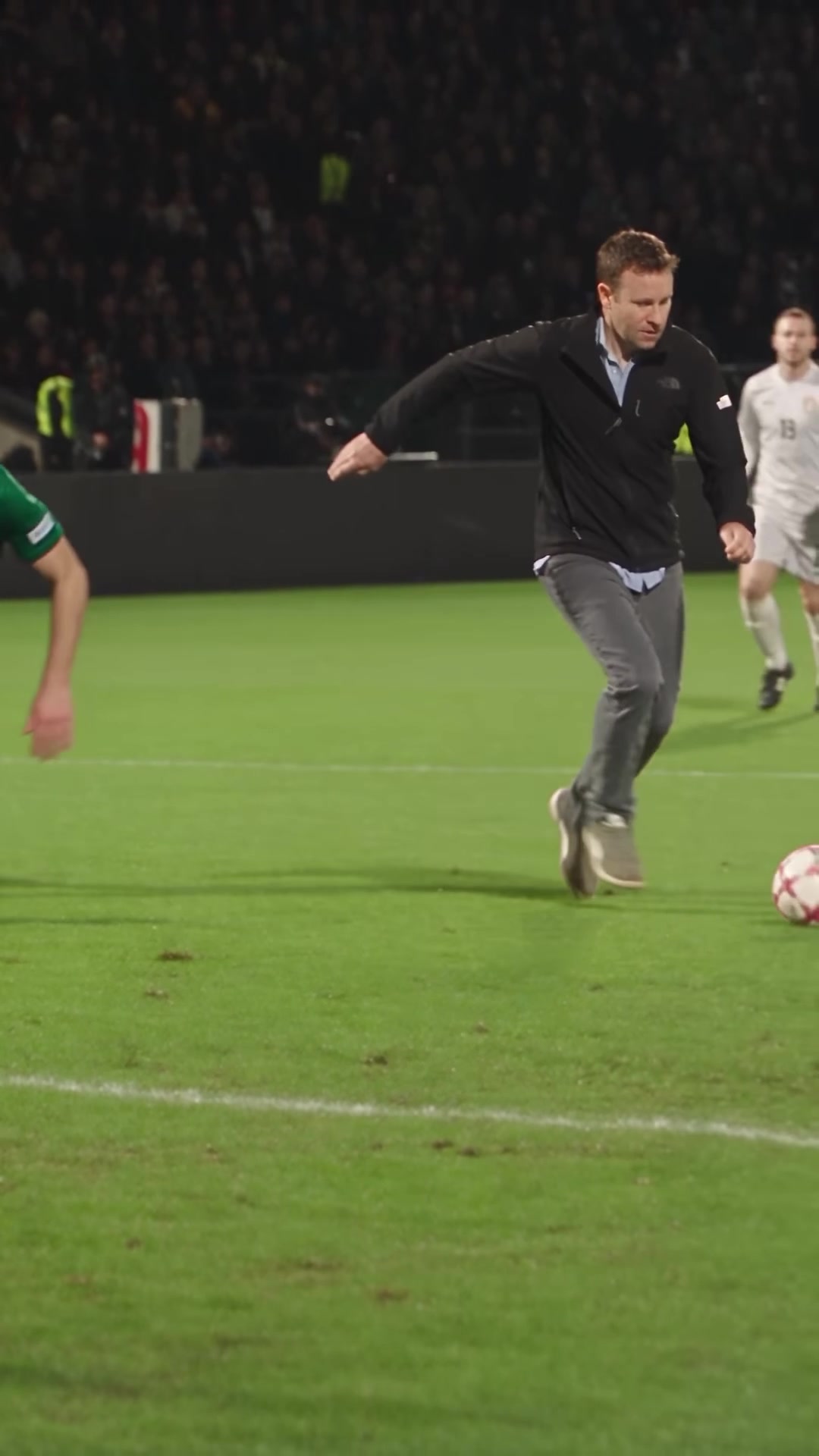
The Ozil goal AI trend puts a new scorer into a recognizable solo goal. Your photo provides the face, hairstyle and outfit; the football sequence gives the video its familiar rhythm. The goalkeeper chip, the move past the defender and the finish are the three moments to watch in the examples.
The scorer lifts the ball as the goalkeeper commits and flies past. The ball comes back down to the player so the attack can continue toward goal.
With the goalkeeper behind them, the scorer brings the ball under control and moves past the sliding defender. This change of direction sets up the final approach to the goal.
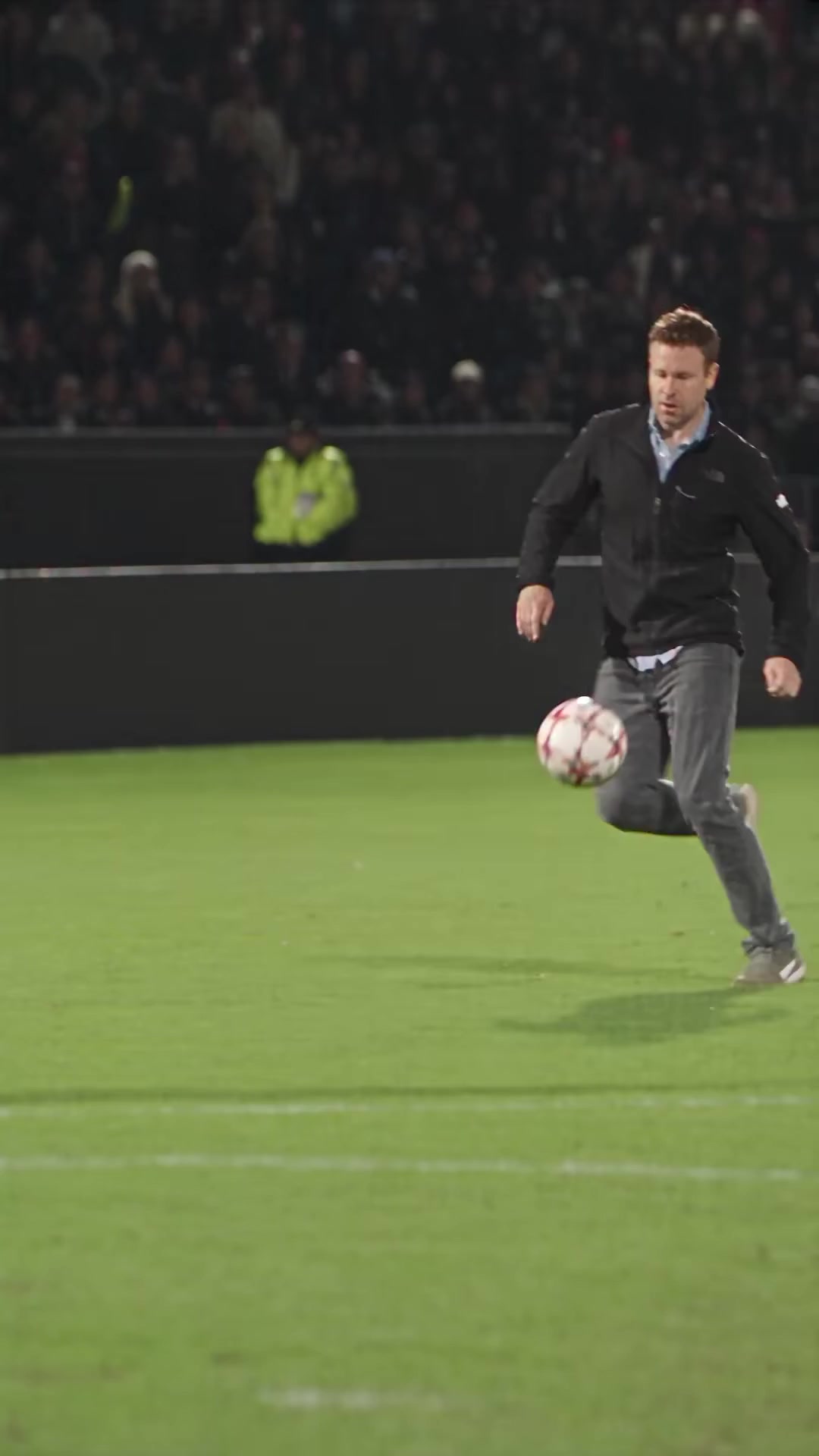
The player reaches the open goal and completes the move. Watch the full clip to see the ball cross the line and the scorer finish the sequence in the outfit from the photo.
Make yourself the scorer, choose a consenting friend for a birthday clip, or try a different everyday outfit. A suit, hoodie or match-day look gives the familiar goal a different character. Use a clear photo showing the face, full outfit and shoes.
Choose an 8-second highlight or a 15-second reference-led version. The creator supplies the scene, portrait framing and template soundtrack. You choose the person, duration and resolution; there is no football clip to upload, move to perform or prompt to write.
Put yourself on the pitch in your favorite outfit and share the completed clip with your football group chat.
Use a photo shared with permission to turn a friend into the scorer, then download the video for a birthday message.
Try a suit, hoodie or everyday look as the scorer’s clothing reference. A new photo creates a separate video using its own credits.
Want to experiment with scene instructions yourself? The separate Prompt Builder produces editable text. Its duration, goalkeeper and ending options change the copied text, separately from the video creator’s video-length controls.
Explore the Ozil goal AI Prompt Builder →Choose one person with their face, full outfit and shoes visible. Upload your photo; the football scene is already prepared.
Select an 8- or 15-second video in 720p. Review the displayed credit cost, then generate with template audio included.
Follow the saved task in My Videos. Play your completed goal video with sound, download the MP4 and save your favorite take.
Cropping a group photo can help only if the remaining person is still clear and complete. Increasing an image's dimensions does not restore missing facial detail.
Upload one JPG, PNG or WebP up to 10 MB. If the file is HEIC, export it to a supported format before uploading. Preview the selected image and confirm permission before submitting.
Both video lengths use a portrait 9:16 frame. Choose a full-body source photo so the face, outfit and shoes can be used throughout the run and finish.
720p output is included with both video lengths. Your photo defines the scorer and outfit in the vertical goal video. The exact cost is shown in the creator.
Choose 8 seconds or 15 seconds in the creator, then select 720p. Preview your finished MP4 in My Videos and download a local copy.
Both duration options include the template soundtrack. The 8-second option fits the move into a short highlight; the 15-second option follows the longer reference sequence. Processing time depends on the video service.
Understand credits and generation costs →Open the completed task in My Videos. Watch the goalkeeper chip, defender move and finish with the template soundtrack before choosing the take you want to keep.
Compare the face, hair, clothes and shoes with your source photo. Watch the ball through the chip and finish so you can select a version you are happy to share.
Use Download in My Videos to save the completed file. Keep a local copy for a birthday message, a match-day post or a football group chat, and preview it in your posting app.
Changing the input photo after completion means creating another video; it does not edit the downloaded clip. Review the current credit cost before making another version.
Follow the complete creation and troubleshooting guide →Ozil Goal AI turns one person’s photo into a vertical football video featuring the goalkeeper chip, defender move and finish. Choose an 8-second highlight or a 15-second reference-led sequence in 720p, with the matching template audio. The scene is prepared, so you do not need to write a prompt or upload a reference clip. Sign in, choose a one-time credit pack and follow your saved task in My Videos to play and download the completed MP4.
Upload one JPG, PNG or WebP up to 10 MB. Show one person’s face, full outfit and shoes. Use a photo you have permission to upload.
Both options produce a portrait MP4. The scorer’s photo supplies their appearance and outfit. The template supplies the action and its original audio.
$8.90 adds 100 credits; $18.90 adds 300 credits; $28.90 adds 500 credits. Credits last 30 days. Confirmed failed generations return the credits used by that task.
Copy a question containing the public facts and pricing sources. You decide where to paste it; copying does not send photos, account details or a question to an AI service.
Product index · Full product facts · Homepage Markdown · Pricing Markdown · All product facts
Check that it is one JPG, PNG or WebP no larger than 10 MB. Renaming a file extension does not convert its format. Export a new copy if necessary, then choose it again.
Select a supported photo and confirm that you have permission to use it. Check the availability message, sign-in state and credit balance. If the service is unavailable, buying credits will not make it available.
Try a sharper, evenly lit full-body photo with fewer obstructions. Keep expectations realistic: the instructions request identity consistency, but do not guarantee an exact likeness throughout motion.
Ozil Goal AI turns one photo into a football video starring your chosen scorer. The prepared sequence follows the goalkeeper chip, the move past a defender and the goal, with the person’s appearance and outfit taken from your photo.
Choose one clear full-body photo with the face, clothes and shoes visible. A hoodie, suit or everyday outfit can become part of the scene; you do not need a football kit. Upload a JPG, PNG or WebP up to 10 MB.
No. Upload your photo and choose 8 or 15 seconds. The creator supplies the scene instructions and the reference for your chosen version, so you do not need to write a prompt or upload a football clip.
The 8-second option follows its own compact goal reference. The 15-second option follows the longer reference sequence. Both use a vertical 9:16 frame and include the template soundtrack.
Your photo is the reference for the scorer’s face, hairstyle and outfit. Use a photo showing the look you want on the pitch, then preview the finished video in My Videos before downloading.
The free builder changes copyable text: its 5-, 8- and 10-second timelines, kits and endings are separate from the creator’s 8- and 15-second video options. Copying a prompt does not start a generation or change the creator settings.
Sign in and open My Videos to follow the task status. When your video is complete, play it there and use Download to save the MP4. If a task is still processing, return to that task instead of submitting it again.
A confirmed failed generation returns the credits consumed by that task. Your remaining credits keep the expiry of the pack they came from. Video credit packs are one-time purchases, without automatic renewal.
Choose your scorer, keep their outfit as the reference and turn the goal sequence into a personal football highlight.
Choose your photo Prefer to write your own scene? Try the Prompt Builder.The creator shows the credit cost for the selected duration before submission. Credit packs add a balance to your account; purchasing a pack does not start a video. The number of clips you can make depends on the duration you choose and the cost of each new generation.
Compare both video lengths in the packs below. Credits last one month (30 days) from payment, with no subscription or automatic renewal. Confirmed failed generations return consumed credits.
View current Ozil Goal AI credit packs and payment rules →Compare how many 720p videos each balance covers. Choose either duration or mix both using the same credits.
Choose your video length · 720p Standard
Choose your video length · 720p Standard
Choose your video length · 720p Standard
The 8-second and 15-second counts above are alternatives, not added together. You can mix durations using one balance. Remaining credits stay available until expiry. The creator shows the cost for your selected duration before submission. Confirmed failed generations return consumed credits. Pending tasks are still processing.
Manage your billing